

Audit Logs
Audit logs capture user actions taken inside your organization and record them as a structured trail you can review later. The audit log is visible to organization admins from the product, and the platform can also export entries automatically to an OTEL-compatible backend for long-term retention or for shipping into an existing SIEM or observability stack.
Where to Find Audit Logs
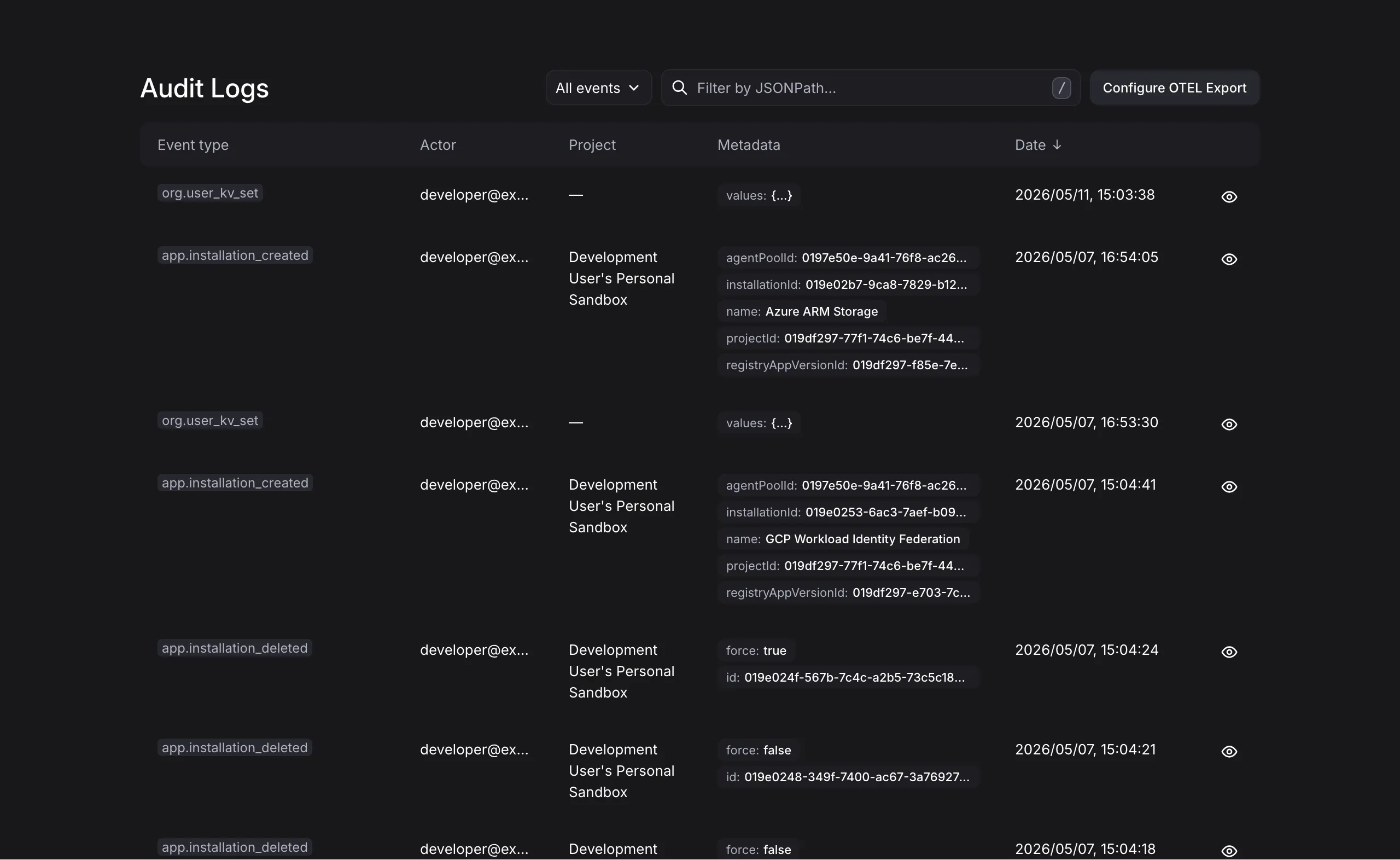
Section titled “Where to Find Audit Logs”Organization admins reach the audit log by opening the “Organization” section and selecting “Audit Logs”. The page shows the most recent entries with filters for event type and a search box for the entry payload. Selecting an entry opens a details drawer with the full event data. Users without organization admin access do not see the page.
Audit Log Entry Attributes
Section titled “Audit Log Entry Attributes”Every entry carries the same set of attributes, regardless of which action it describes.
| Attribute | Description |
|---|---|
| Event Type | The action that was performed, for example a user signing in or a flow being created. |
| Actor | The user who performed the action. For machine sessions (API keys or OAuth2 clients), the session type is recorded alongside the user. |
| Project | The project the action targeted, if any. Organization-level actions have no project. |
| Metadata | An event-specific JSON payload. |
| Date | When the action occurred. |
The shape of the Metadata payload varies by event type. The details drawer shows the full payload for any entry, so you can inspect it in context rather than reading from a schema.
Exporting to an OTEL Endpoint
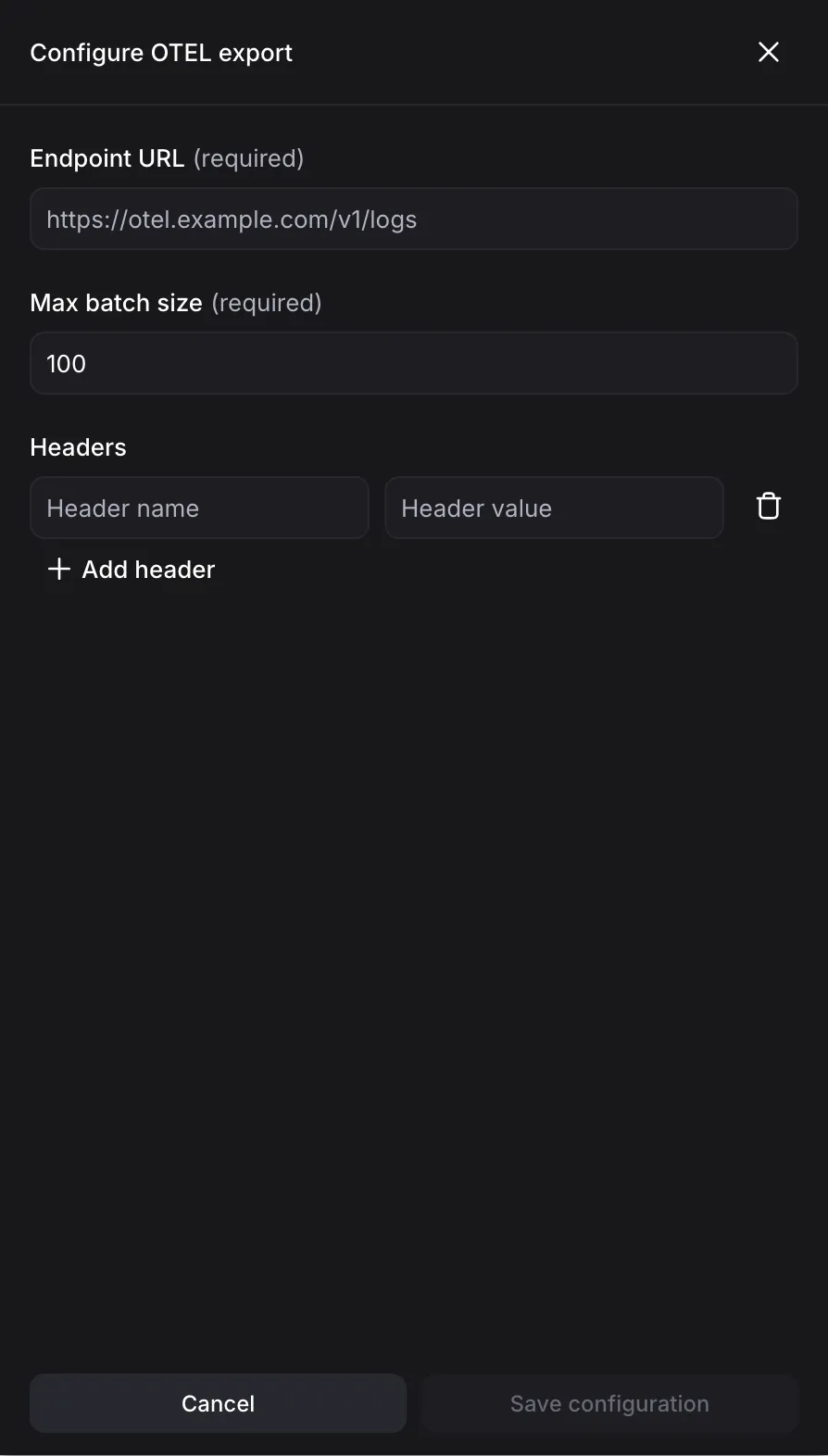
Section titled “Exporting to an OTEL Endpoint”You can configure the platform to forward every new audit log entry to an OTEL-compatible receiver. Records are sent in OTLP Logs format over HTTP. Configuration lives on the same Audit Logs page, behind the Configure OTEL Export button.
Configuration
Section titled “Configuration”The export drawer has three fields:
- Endpoint URL: The OTLP HTTP receiver URL. Both
http://andhttps://are supported. - Headers: Optional key/value HTTP headers attached to every batch. These typically carry authentication tokens required by the receiver.
- Max batch size: The maximum number of records sent per export batch. Must be an integer between 1 and 1000.
When an export fails, the most recent error is shown inline at the top of the drawer.
Output format
Section titled “Output format”Each audit log entry is emitted as a single OTLP Log record. Wire your receiver to ingest OTLP Logs over HTTP.