

Service Accounts
While user API Keys can be used for programmatically accessing and managing Flows, those are inherently bound to the given user. However, this means that all operations, in any audit log, or auth metadata, will reference that user, and it won’t be obvious who (an automation via this api key, or this user) did it. Additionally, if e.g. the user leaves the oranization, the API key would become invalid.
To solve those issues, Flows supports a concept of Service Accounts. Those are machine user which may be created by organization admins, given a name, and assigned roles and permissions, just like regular users. Organization admins can then create API keys for those service accounts, and those API keys can then be used to access and manage Flows programmatically.
This works for HTTP Endpoint blocks with a constrained audience, it works for MCP servers, it works for the Flows CLI, and it works for the Flows TF provider.
Creating a Service Account
Section titled “Creating a Service Account”In order to create a service account, you need to be an organization admin. Click your avatar in the upper-left corner, then select “Organization”, and click the “Users” tab in the left sidebar. There, you will find a “Create Service Account” button. You’ll be able to give it a name and end up with someting like this:
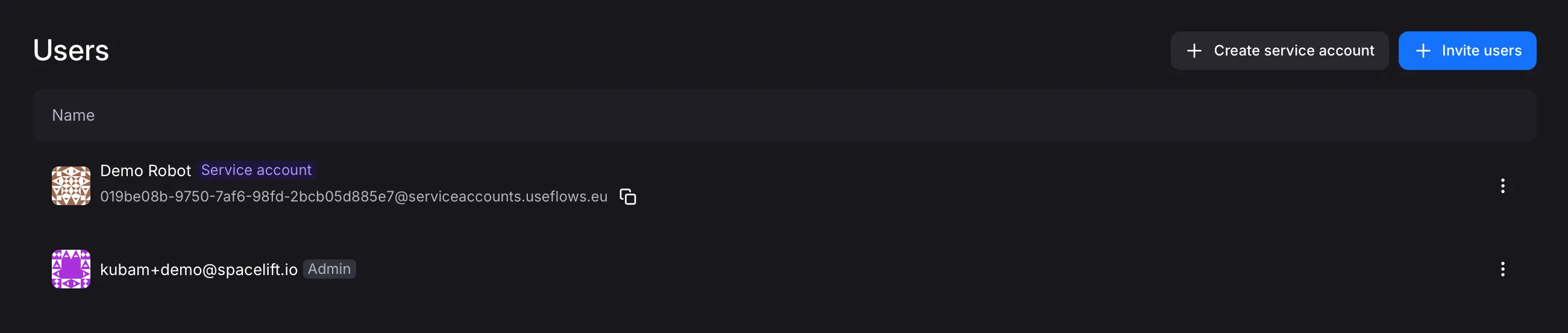
You will then have to add the service account to any projects necessary, exactly like you would with a regular user, see Managing Permissions for more details.
Subsequently, in the organization users view, click on the three dots on the right-hand side of the service account you created and select “Manage API keys”. There, you’ll be able to create and configure API keys, see more in API Keys and OAuth2.