

Two-Factor Authentication
Flows supports two-factor authentication using FIDO2 credentials - security keys and passkeys.
This means you can use devices like YubiKeys, as well as Passkeys, like those supported by iCloud Keychain with TouchID.
Two-Factor Authentication is supported whether you use email authentication or single-sign on.
A single user may have an arbitrary number two-factor credentials configured.
Setting Up a Two-Factor Credential
Section titled “Setting Up a Two-Factor Credential”Click your avatar in the upper-left corner, then select “Settings”, and click the “Security” tab in the left sidebar.
Here you will be able to add your security keys or passkeys, and then enable two-factor authentication for your account.
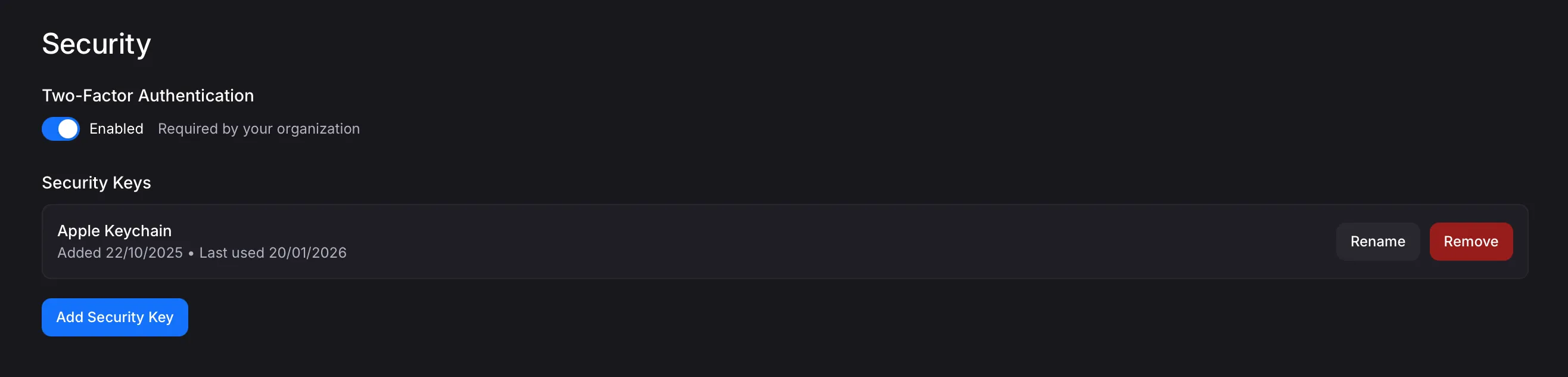
When you enable two-factor authentication, you will be required to use a registered two-factor credential each time you log in to Flows.
Enabling Organization-level Two-Factor Enforcement
Section titled “Enabling Organization-level Two-Factor Enforcement”If you are an organization admin, you can turn on universal two-factor enforcement for your organization. This means that all members of your organization will be required to set up and use two-factor credentials when logging in.
Users without two-factor credentials configured will be prompted to set them up the next time they log in.
To enable two-factor enforcement, click your avatar in the upper-left corner, then select “Organization”, and click the “Security” tab in the left sidebar. Here you will find the option to enforce two-factor authentication for all members of your organization.
